

Sounds like wave picking to me...
See https://www.odoo.com/documentation/18.0/applications/inventory_and_mrp/inventory/shipping_receiving/picking_methods/wave.html and https://www.odoo.com/slides/slide/wave-picking-7081
Dear Michiel,
For your requirement to automatically split one sales order into separate pickings for dry, frozen, and cool products, here's the recommended approach:
The issue likely occurs because:
Locations are correctly assigned
🚀 Did This Solve Your Problem?
If this answer helped you save time, money, or frustration, consider:
✅ Upvoting (👍) to help others find it faster
✅ Marking as "Best Answer" if it resolved your issue
Your feedback keeps the Odoo community strong! 💪
(Need further customization? Drop a comment—I’m happy to refine the solution!)

Did you test this? Or is it just generated by ChatGPT and posted here?
You add as much value as a pop-up ad. If you're not contributing, at least don't embarrass yourself trying to discredit others.
Can you answer the question - have you tested this? I don't think this is how Inventory Routes & Rules work, but really interested to see details in case I have misunderstood. Happy to apologize if that's the case.
Yes, Chris, it’s tested; not everything that sounds unfamiliar is incorrect. Inventory Rules can behave exactly like this when implemented properly. Let me know if you wants; I'm happy to share. And apology accepted in advance 😉
To make it clear for everyone, can you please post a screenshot of how to setup the Inventory Rules to explain this:
"When to trigger" = "Move from stock to pack"
To be honest, i couldnt figure this one out..
No, and it wastes everyone's time reading through such a long answer that contains major errors!
Yes, it's possible to generate 3 separate picking orders (for dry, cool, and frozen products) from one sales order — but not 100% automatically out of the box . It requires either precise configuration or a small customization.
Reason:
Odoo doesn't natively split deliveries by product type. However, we can achieve it using:
we can set up the system so that each sales order creates 3 separate picking lists — one for Dry, one for Cool, and one for Frozen products.
However, this behavior is not fully automatic in standard Odoo.
By default, Odoo generates one delivery order per sales order. To split pickings by storage condition (Dry/Cool/Frozen), we need to either:
We recommend the customization for the most reliable and scalable solution, especially if this process is core to your business
Thanks & Regards,
Email: contact@datainteger.com
Just watched wave picking. It's more or less a fit. Except that users need to create the waves. In my case i would like to see it seperated by the system itself.
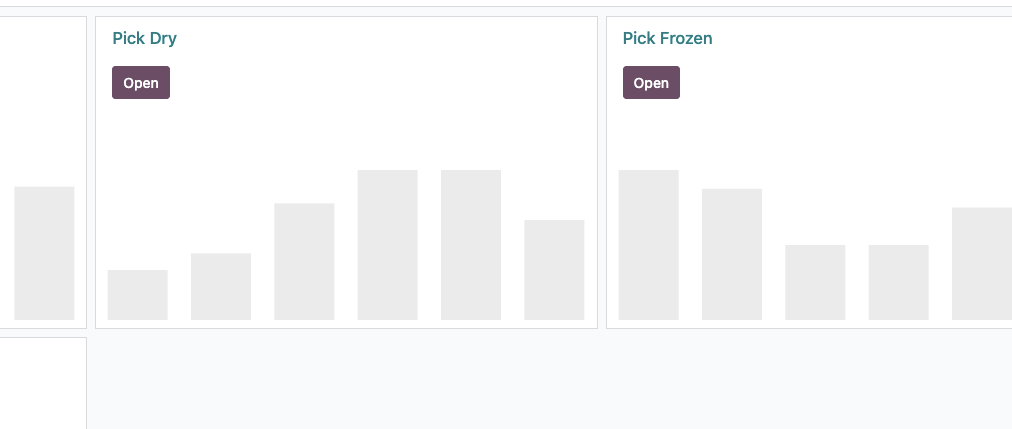
Like this: