To create a Chart of Accounts in your Invoicing settings, go to Settings → Chart of Accounts → Create. Add a new account by choosing the Account Type (like income, expense, or liability), enter a clear Account Name, and save it. Once added, you can assign these accounts to products, taxes, or journals in your invoicing setup to ensure every transaction posts correctly.
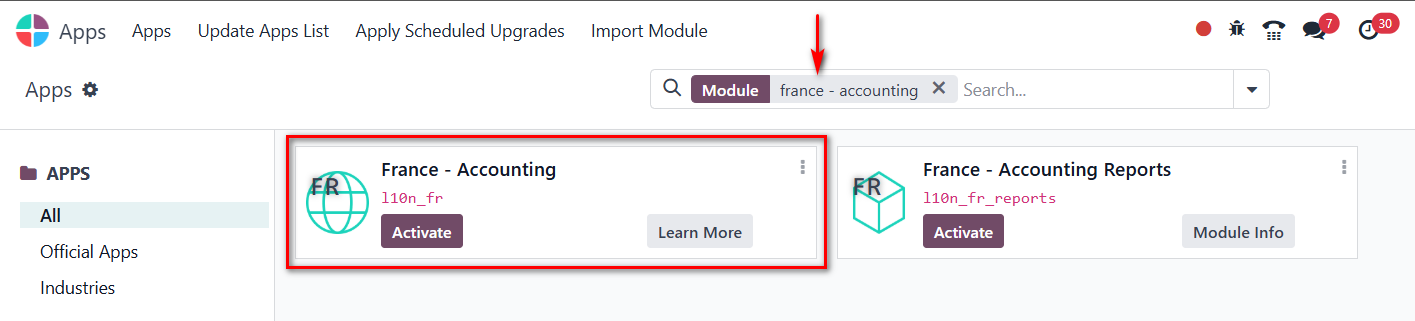
First of all, you need to install a chart of accounts from the apps menu (e.g.: type France - Accounting to install the French chart of accounts). Once installed, you can configure it in the invoicing settings.



To create a Chart of Accounts in your Invoicing settings, go to Settings → Chart of Accounts → Create. Add a new account by choosing the Account Type (like income, expense, or liability), enter a clear Account Name, and save it. Once added, you can assign these accounts to products, taxes, or journals in your invoicing setup to ensure every transaction posts correctly.
Thank issue was resolved