


This guide will walk you through setting up a simple loyalty program using Odoo’s Point of Sale module.
🔧 Step 1: Configure the Loyalty Program
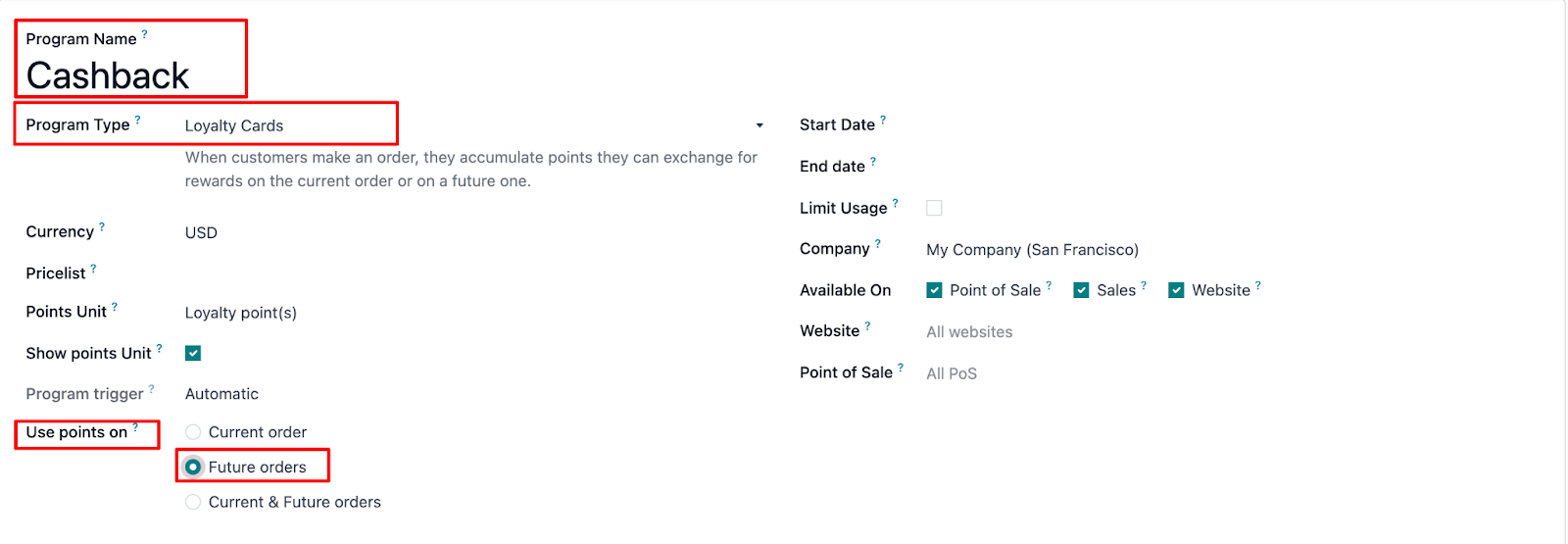
1. Go to Point of Sale > Products > Discount & Loyalty
2. Click on Create to set up a new loyalty program.
3. Set the Name to: Cashback
4. Choose Program Type: Loyalty Cards
5. Enable Developer Mode to access additional options.
6. In the “Use points on” field, select: Future Orders
📋 Step 2: Define Rules & Rewards
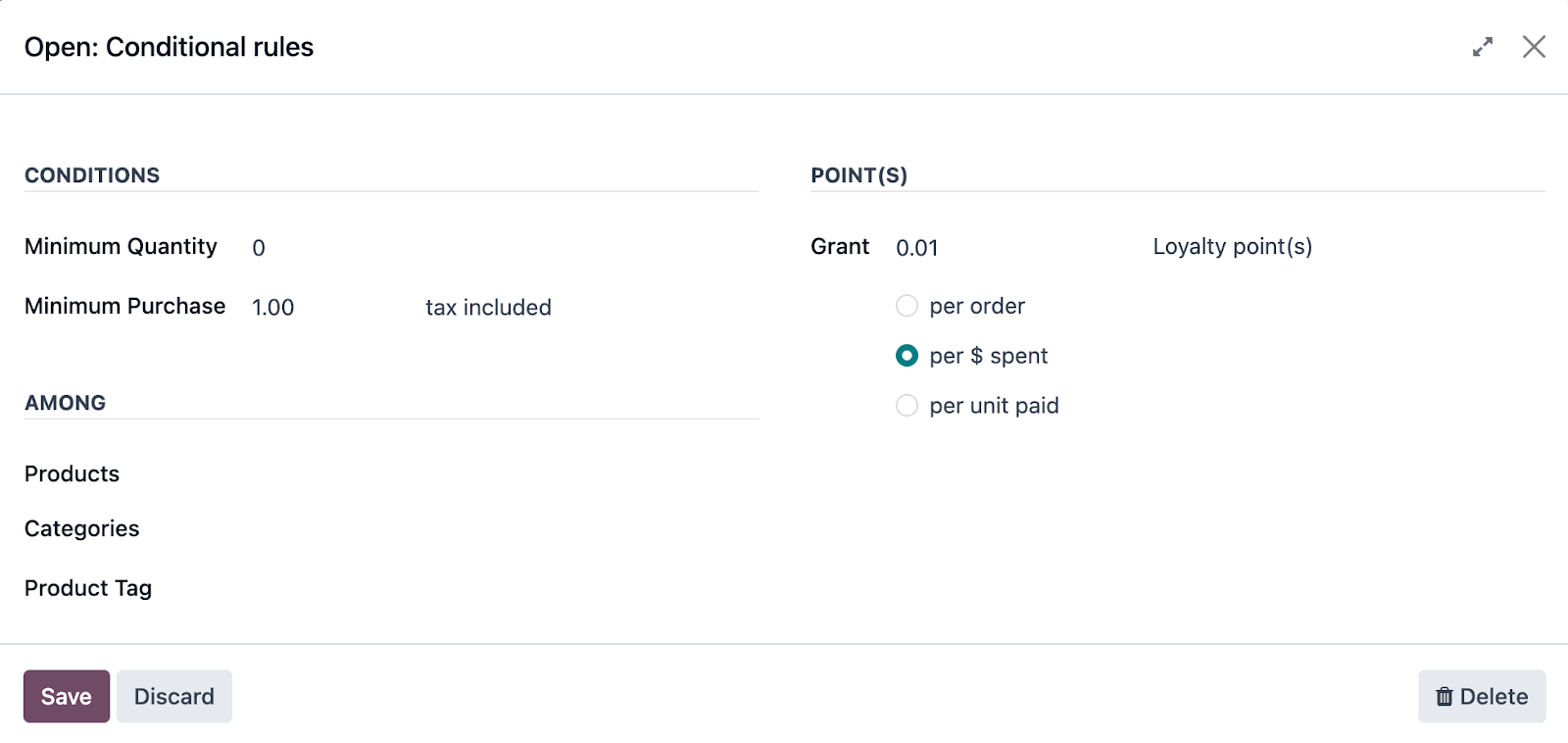
Conditional Rules
• Minimum Quantity: 0
• Minimum Purchase: $1.00
• Grant: 0.01 loyalty points per $1 spent
(This represents a 1% cashback. You can adjust this value to fit your desired percentage—e.g., 0.05 for 5%.)
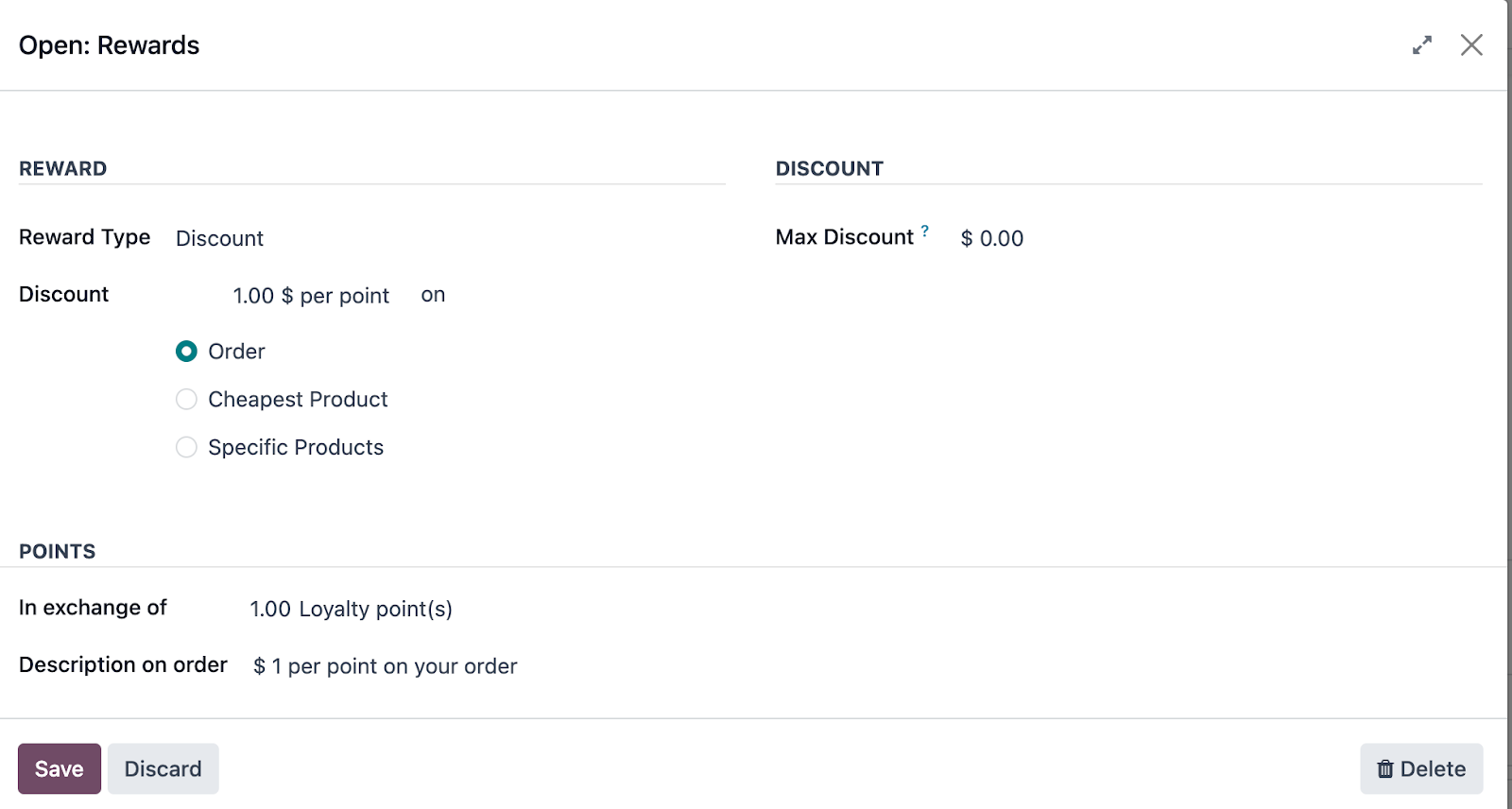
Rewards
• Type: Discount
• Discount Value: $1.00 per point
• In exchange for: 1 loyalty point
🛒 Step 3: Use the Program in POS
1. In a POS order, add the desired products.
2. Be sure to select a customer—loyalty points are customer-specific.
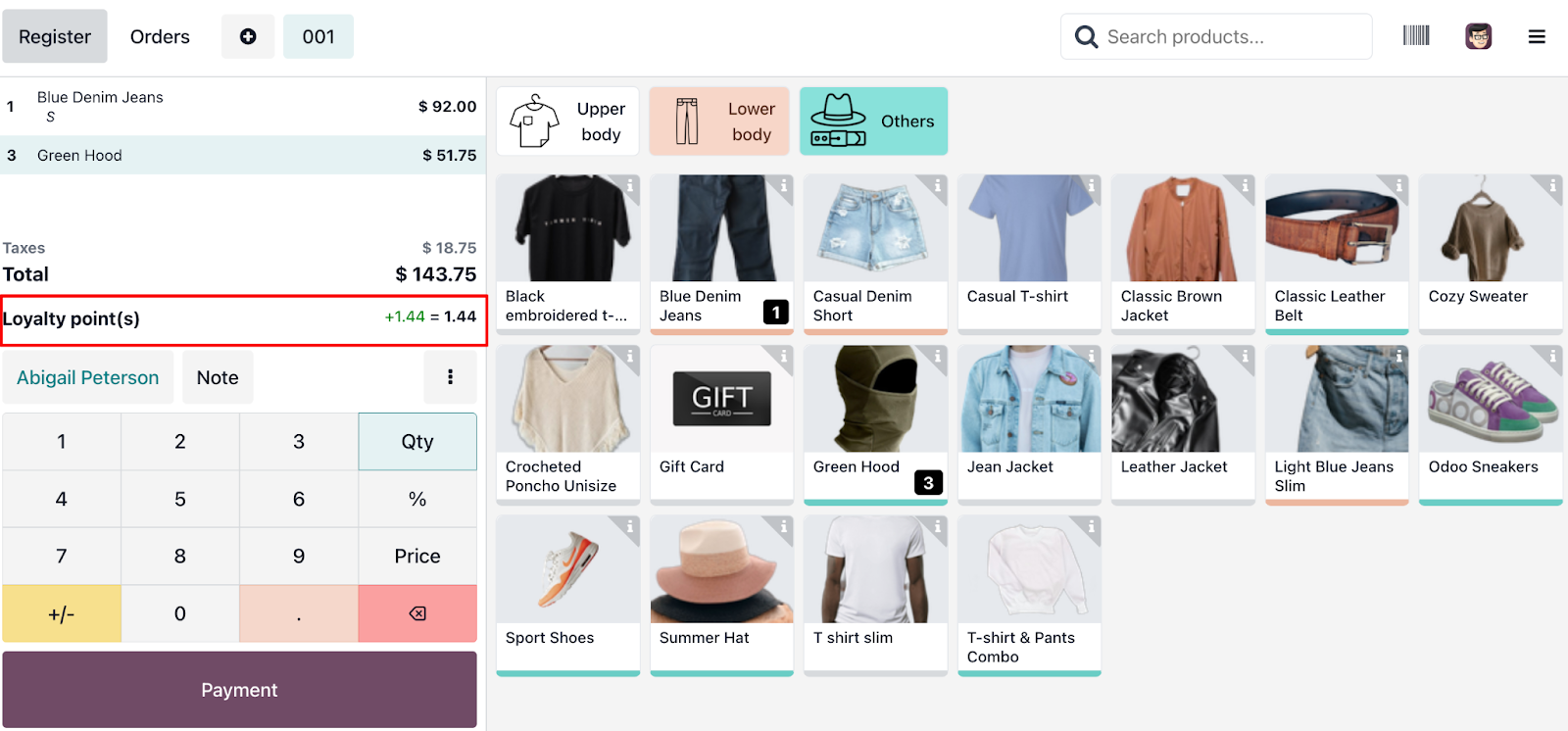
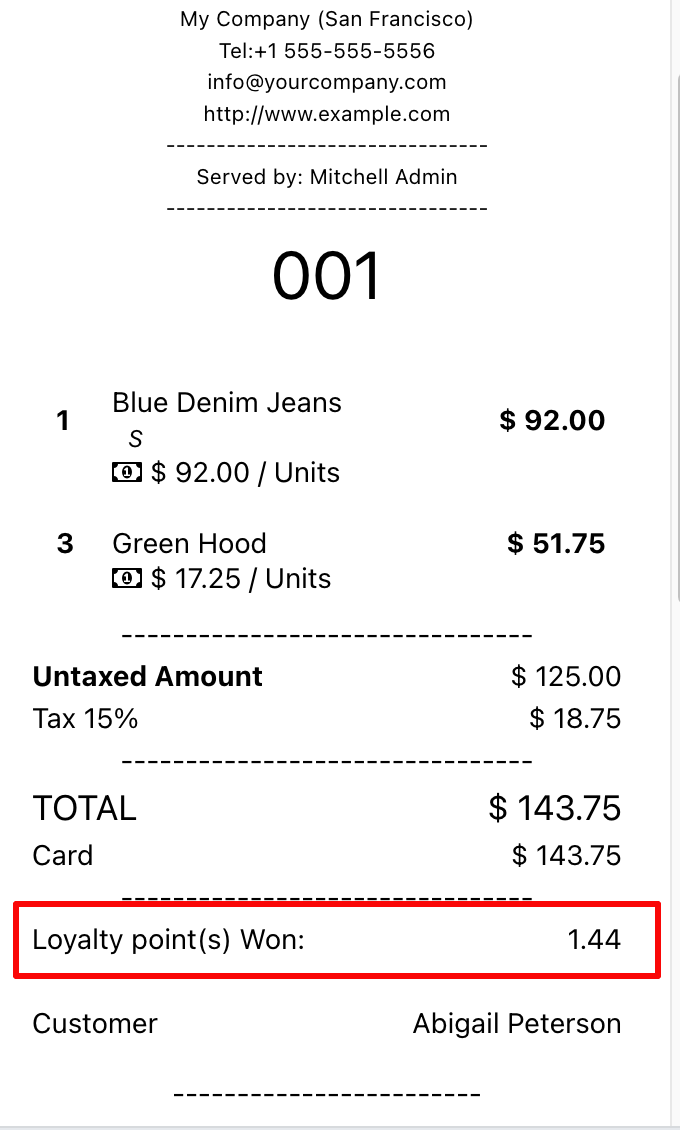
3. Odoo will automatically calculate the number of points earned with the purchase.
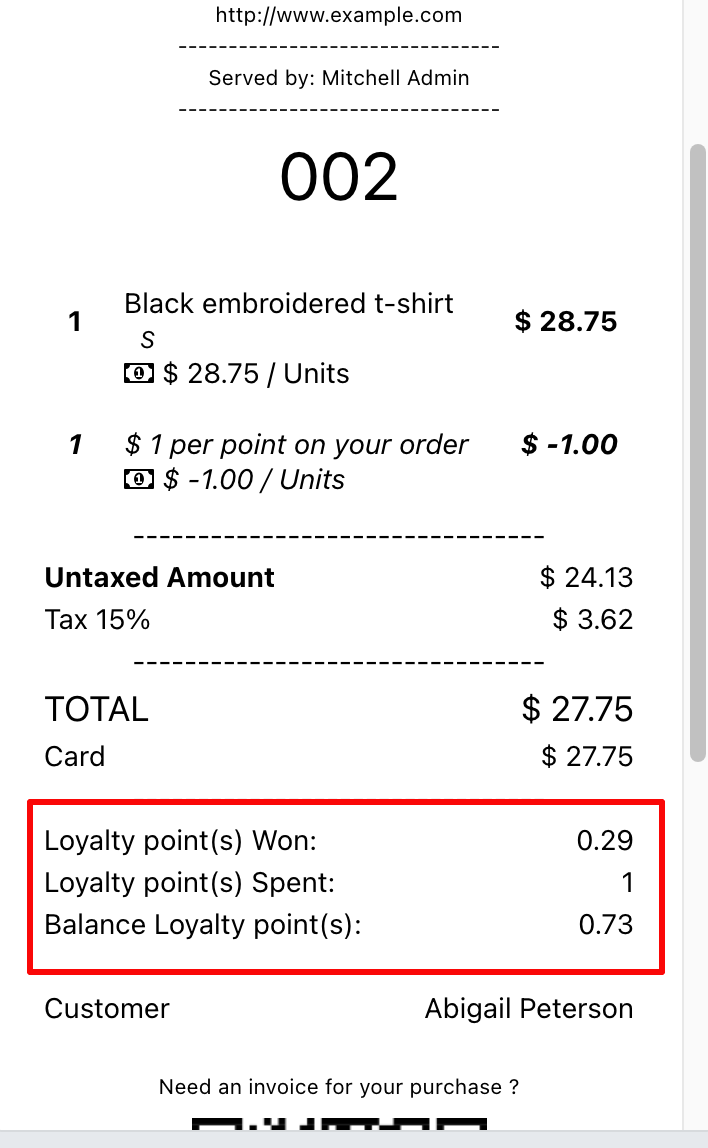
4. Once the payment is validated, the points balance will be shown on the receipt.
🎁 Step 4: Redeem Loyalty Points
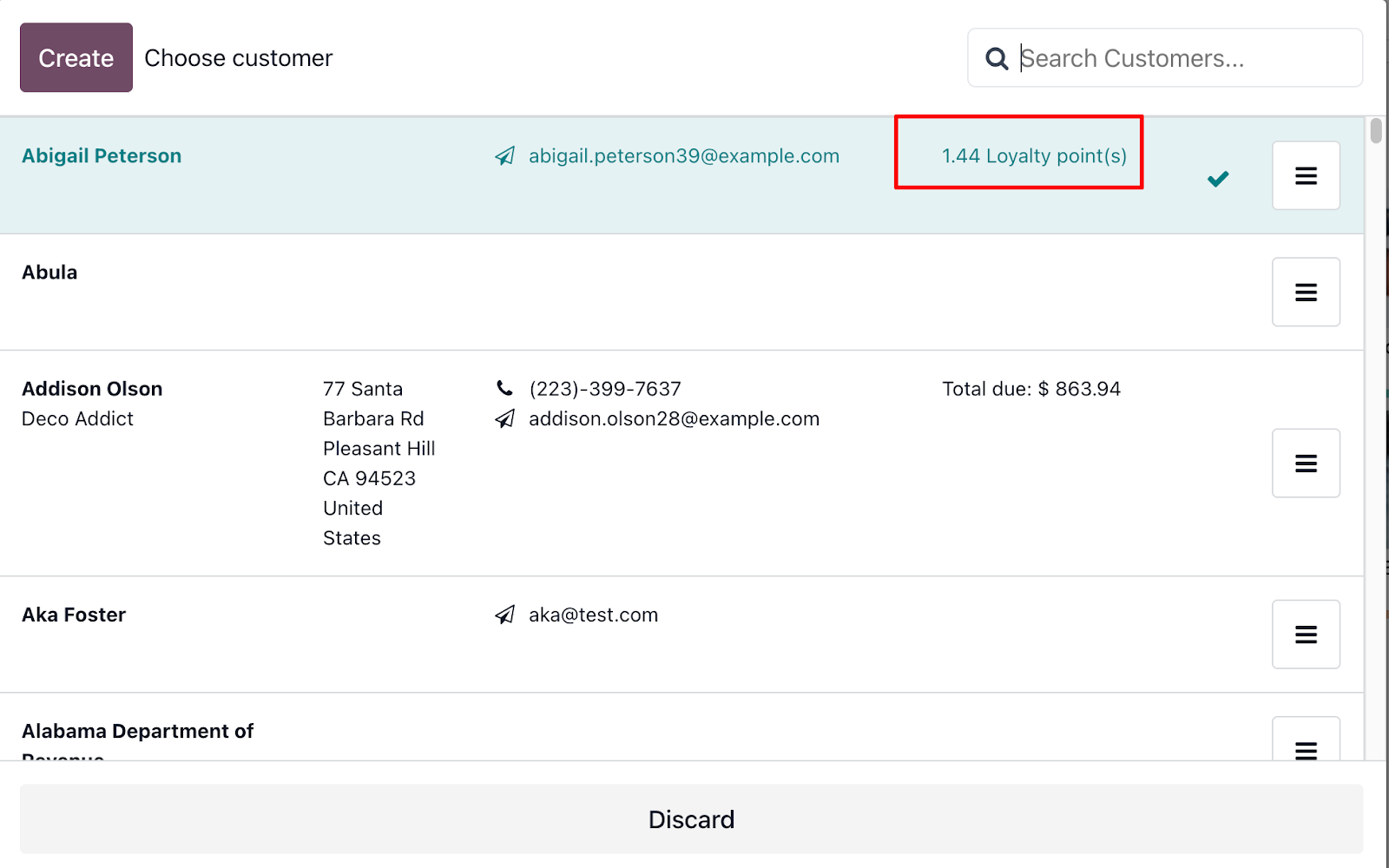
1. On the customer’s next visit, select them in the POS.
2. Their available loyalty points will be visible.
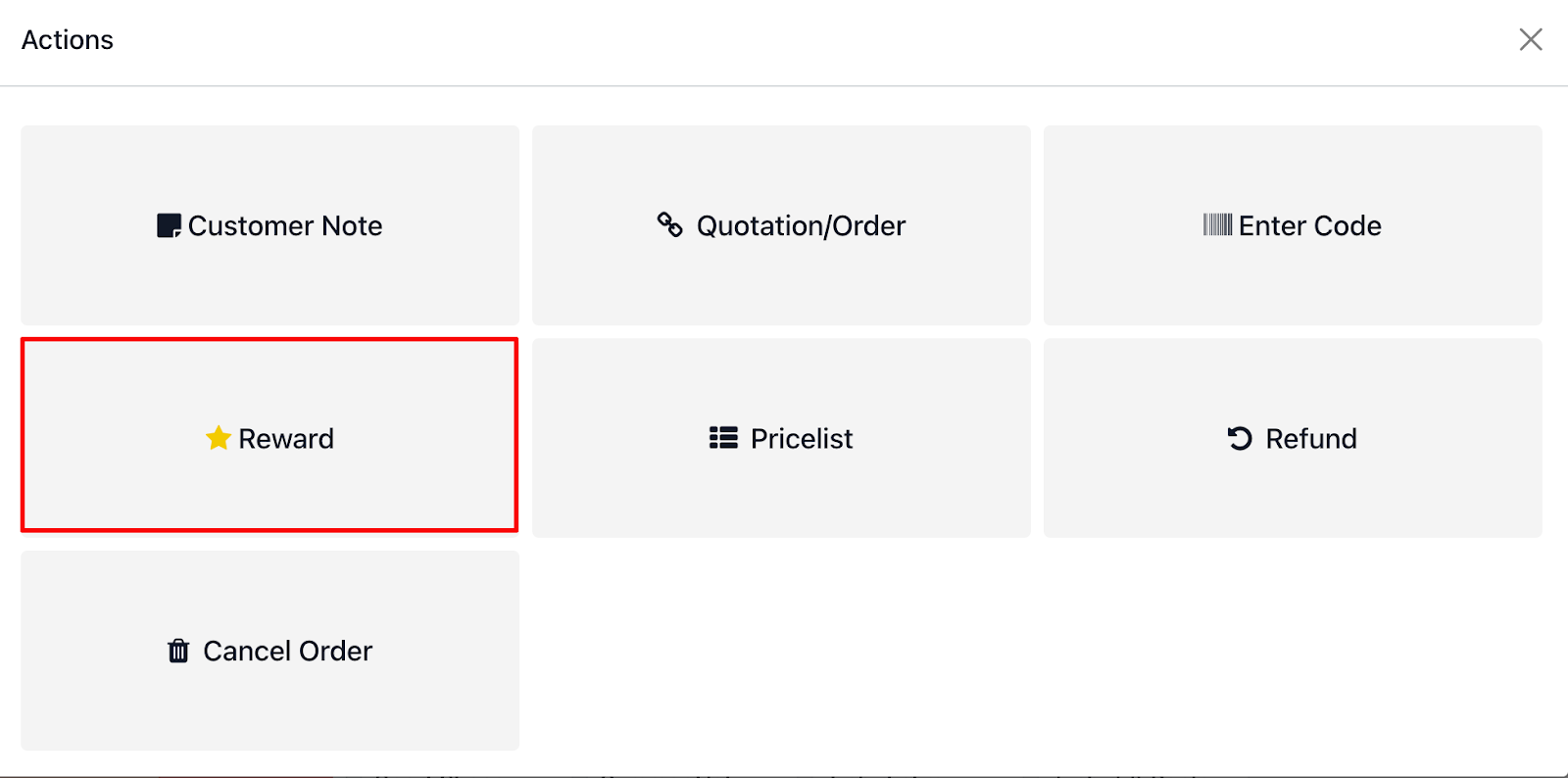
3. Tap the menu button (three dots), choose Reward, and select Cashback.
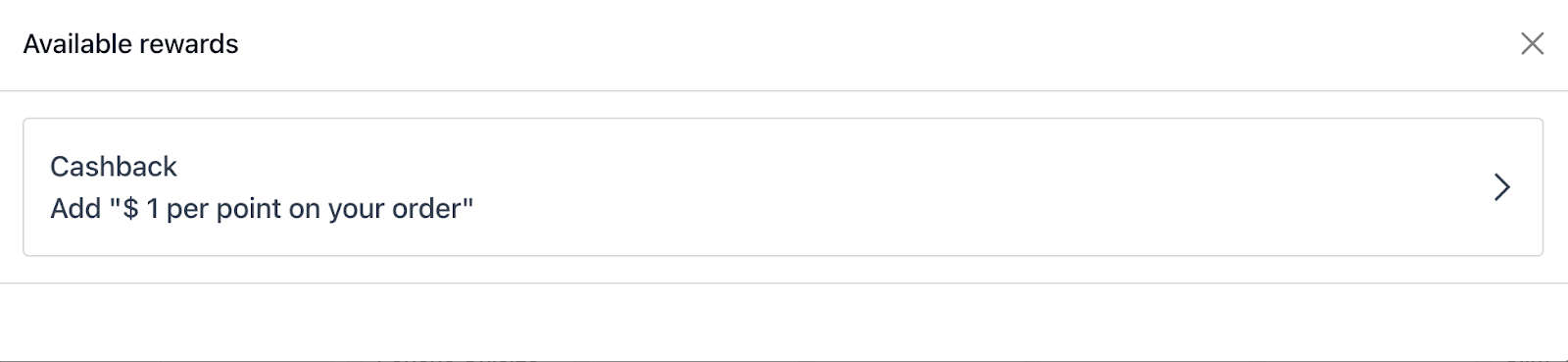
4. The discount will be applied to the order summary.
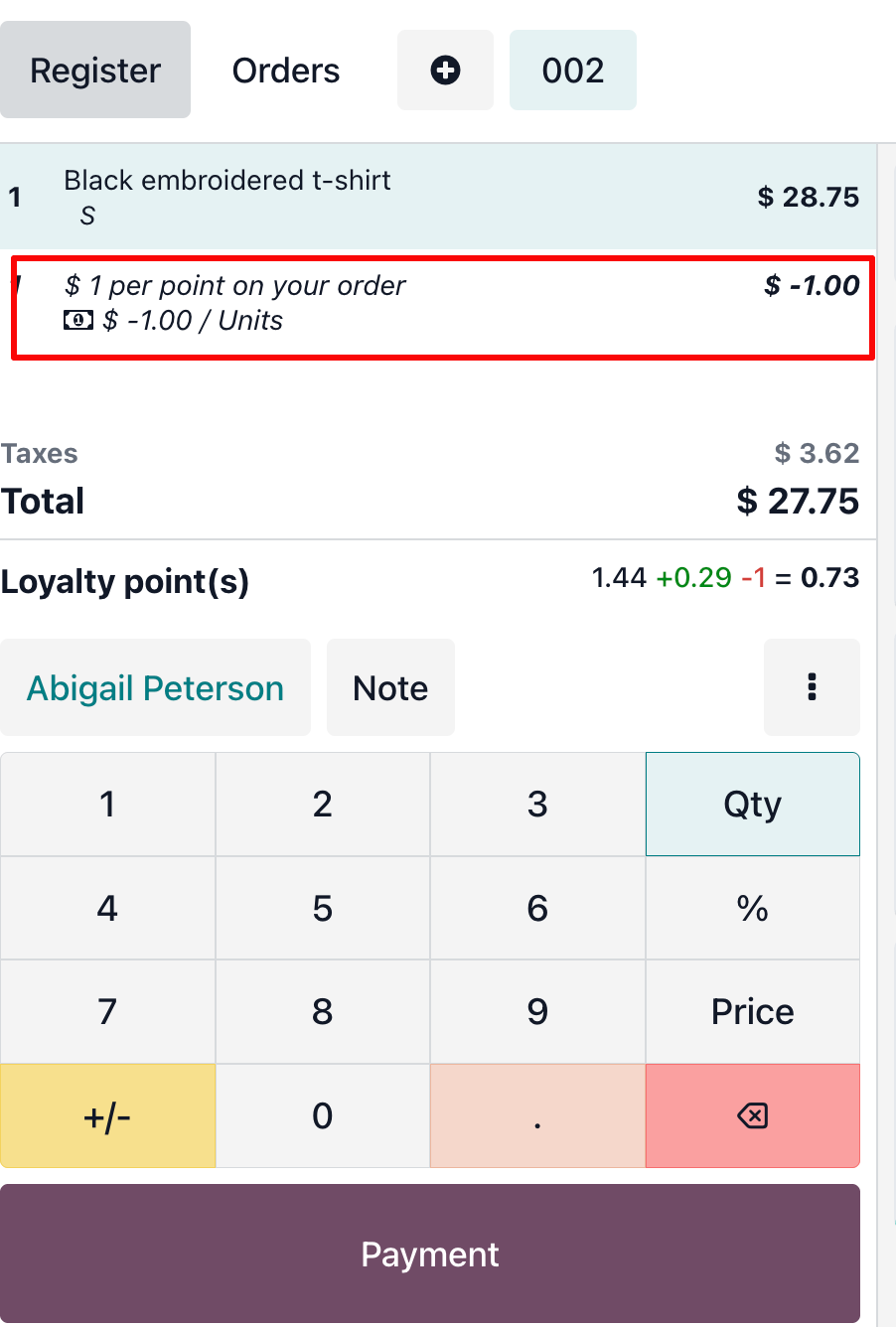
5. Proceed with payment as usual. The updated point balance and the discount will be shown on the receipt.
✅ Final Note
This setup provides a simple and flexible cashback system. You can easily customize the percentage of cashback by adjusting the points granted per dollar spent.
Hope this helps you reward your customers and boost retention! 🚀