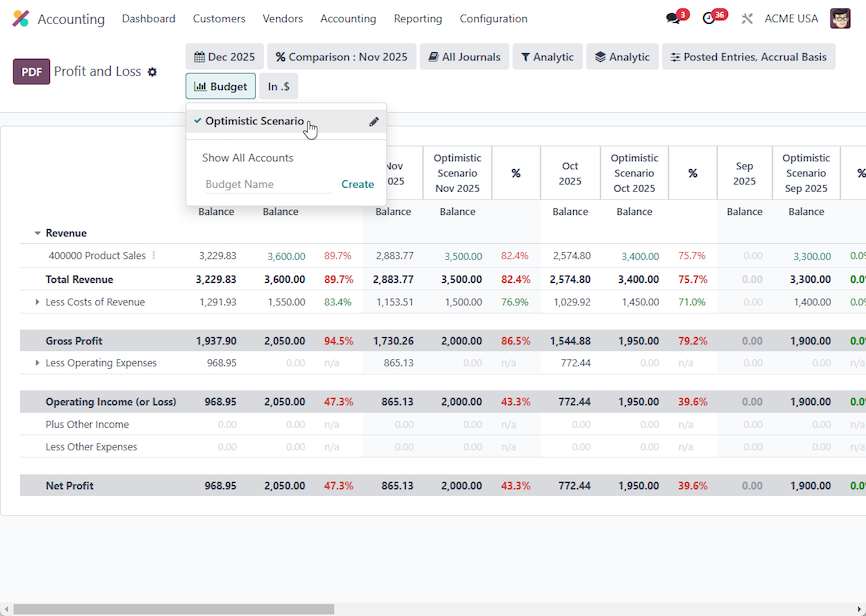


The best way to learn how to import something into Odoo is to export a record first, and use this file as a template.
Here is an example file that can be used as a guide:
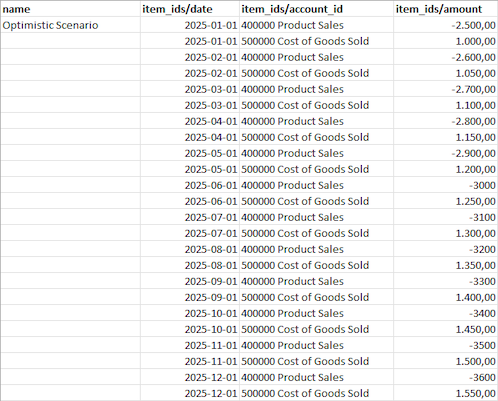
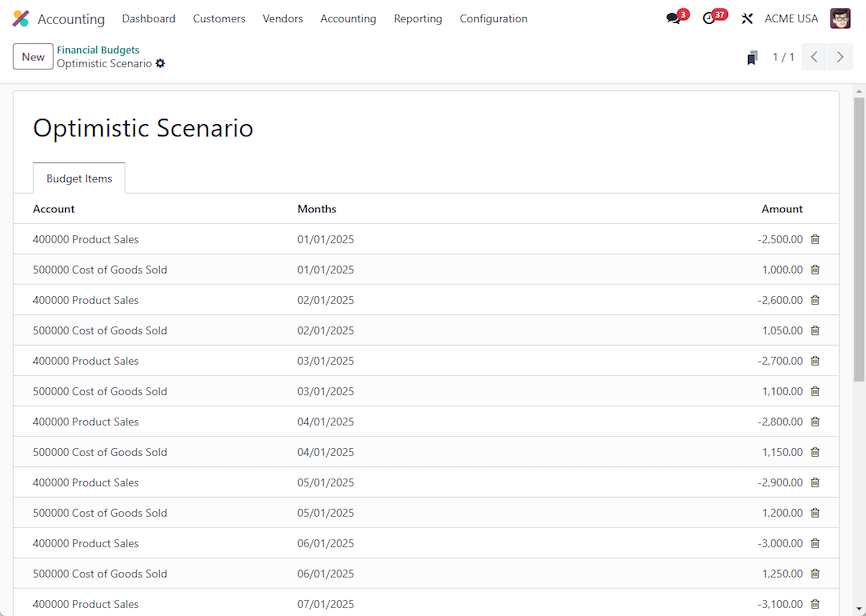
You can see that the NAME of the budget is in the first column, then the DATE, ACCOUNT and AMOUNT. Revenue is negative, Expenses are positive.
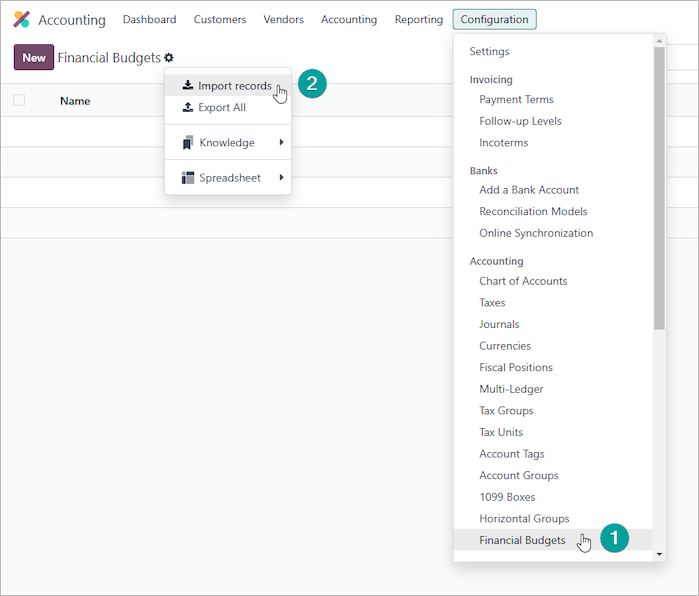
When you have your import file, visit the Accounting --> Configuration --> Accounting -> Financial Budgets Menu (1) and click Import Records (2):
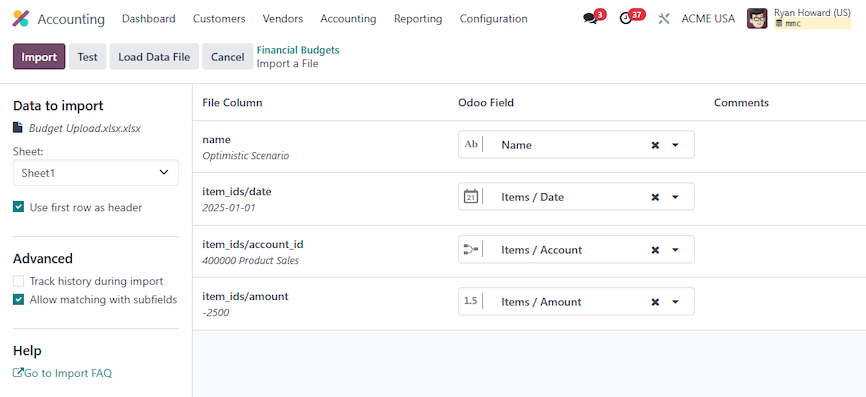
Browse to your import file and check that the columns in your file map correctly to the corresponding Odoo field:
You then end up with a Budget like this:
Which when used on the Profit and Loss report will look like this: